Qube Platform Release 2.63: Camera Dashboard and Alarm Push Notifications
Release 2.63 is all about getting the right information in front of you faster. It brings improved visibility and easier access to Qube Camera imaging across multiple sites, and rapid notification of emission alarms with push notifications to your desktop and mobile devices.
Want to see how it works?
New Camera Dashboard: Improved Visibility Across Sites and Assets
If you have Qube Cameras deployed at your sites, checking on them just became a one-click task. The new Qube Camera dashboard sets out snapshots of what your cameras are seeing live or on triggers, together in a single view.
Cameras are grouped by site, so you can scan an entire operation at a glance. Each thumbnail presents:
Site Name
Device Name
Latest Camera Snapshot, and when it was taken
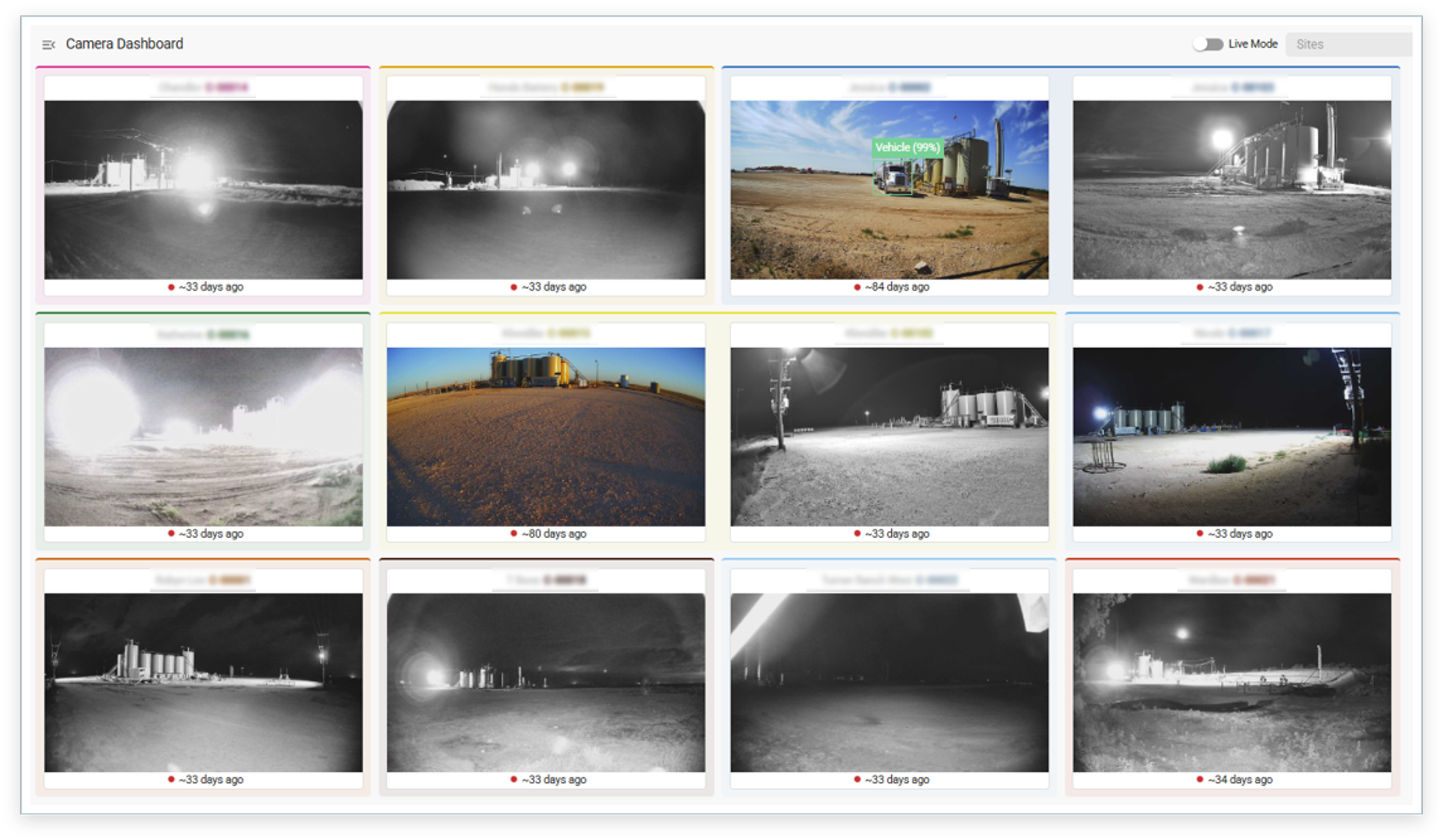
The new Qube Camera Dashboard groups live camera snapshots by site.
Getting there is simple. If you have at least one camera at your sites, a new 'Camera Dashboard' button appears in your navigation bar. Click it and you have the latest snapshot from every camera across your sites.
Alarm Push Notifications: Get Rapid Alerts Wherever You Are
Alarms are only useful if they reach you in time. With Release 2.63, the Qube platform can now deliver push notifications for alarms directly to your desktop and mobile devices, even when the app is not open.
Desktop Push Notifications
On desktop, the setup is a snap:
Go to your account, User Settings, then the ‘Notifications’ tab.
Scroll down to find the ‘Push’ toggle.
Click the ‘Push’ toggle and click ‘Subscribe this device’.
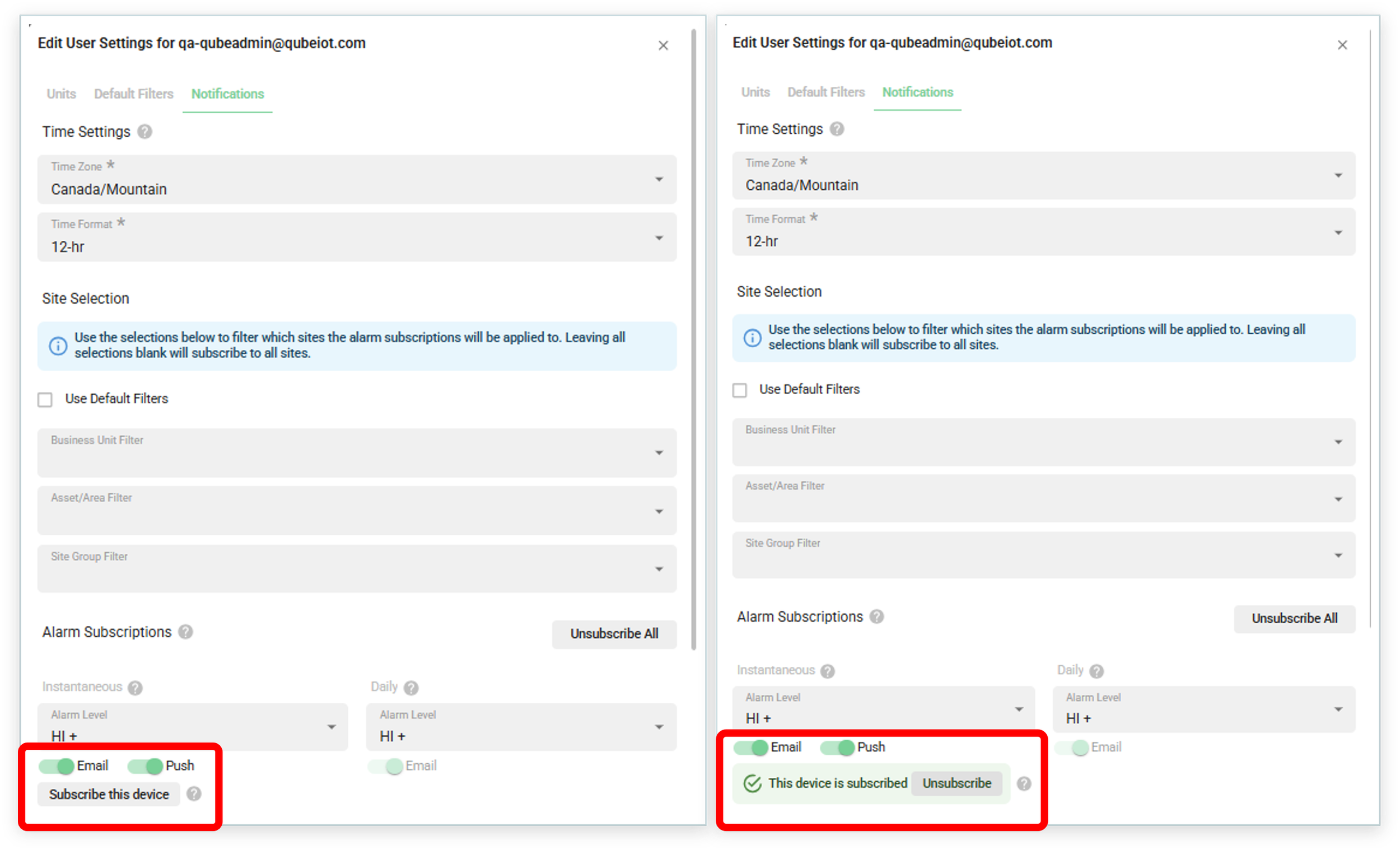
For desktop push notifications, click the ‘Push’ toggle then click ‘Subscribe this device’.
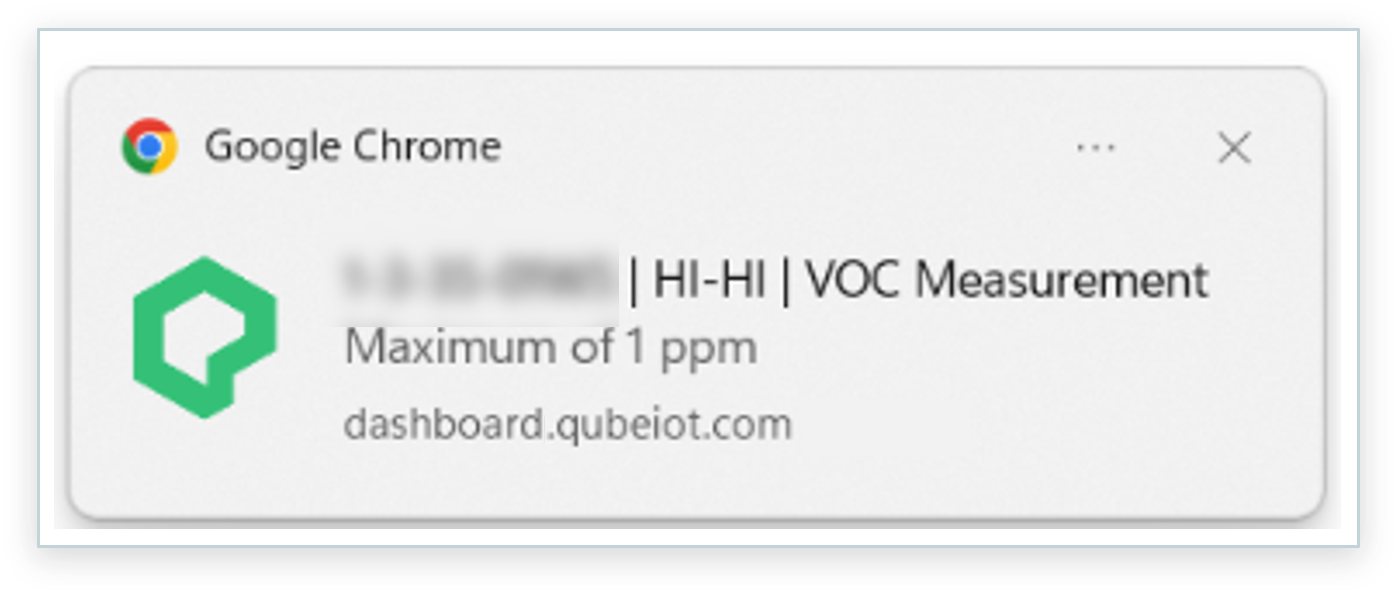
Example of a desktop alarm push notification delivered through Google Chrome browser.
Mobile Push Notifications
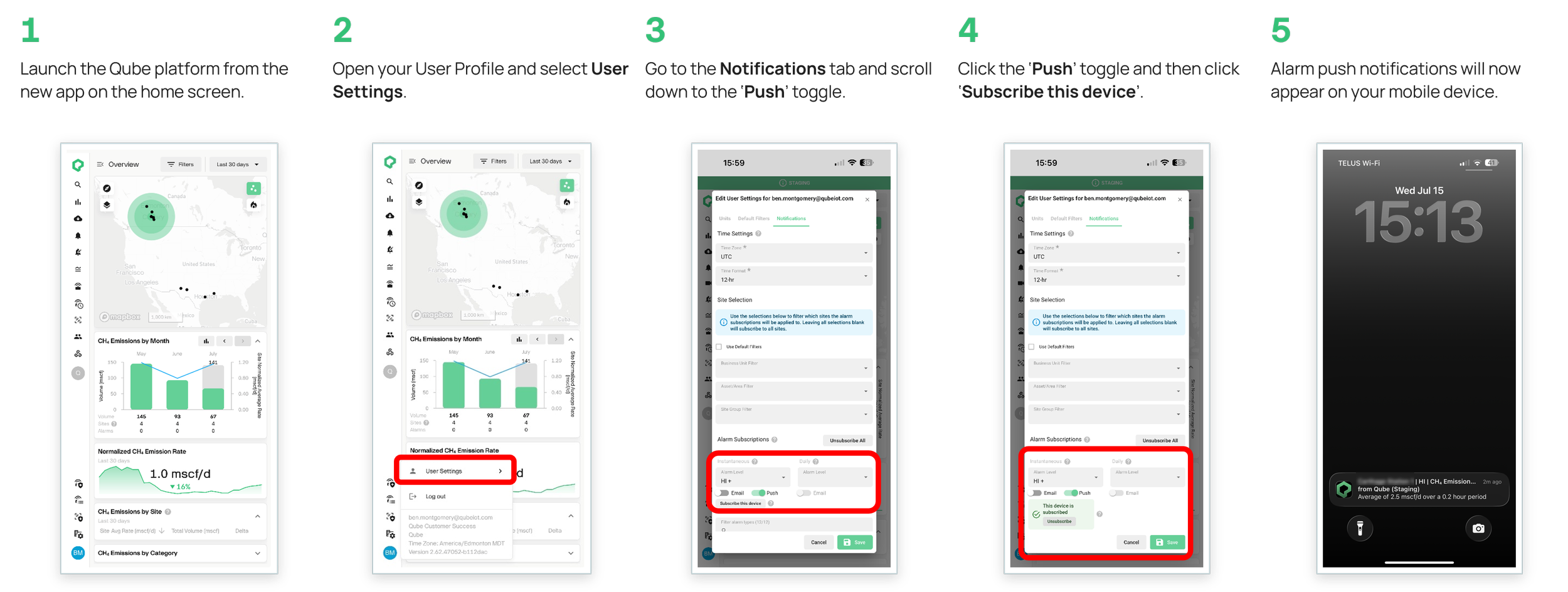
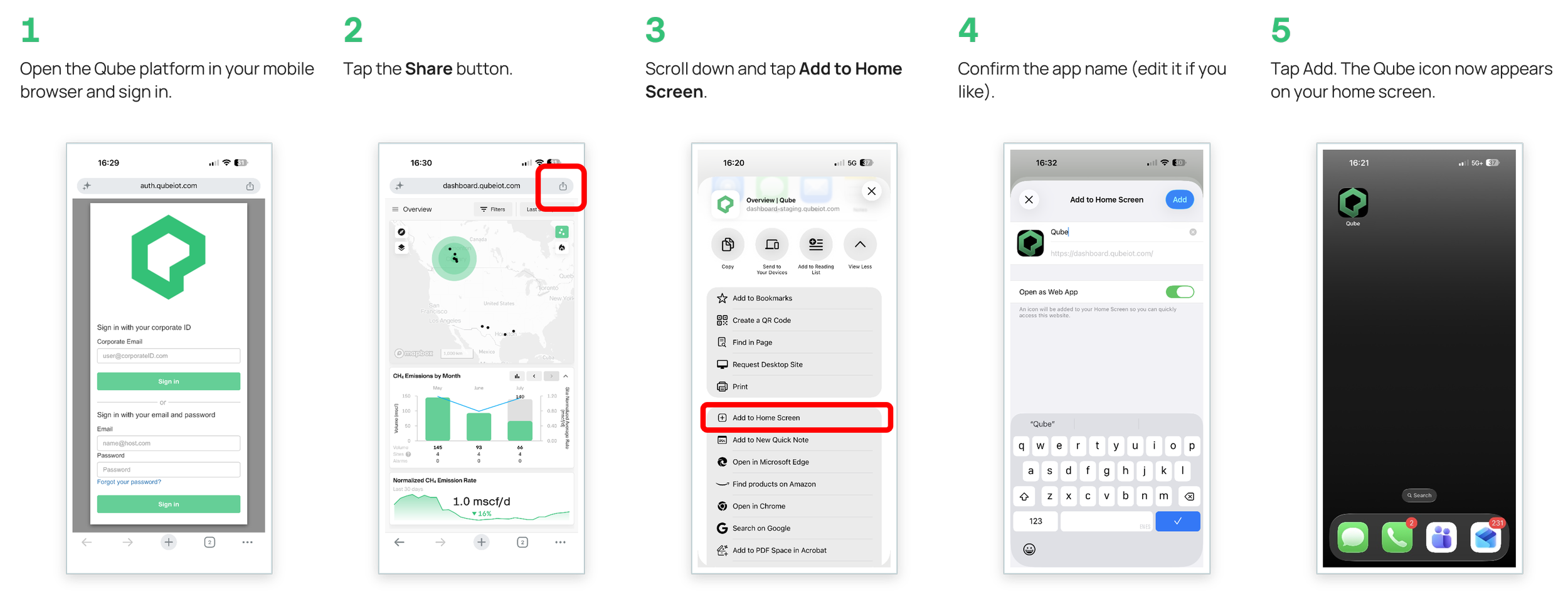
On mobile, activating push notifications is a two-step process. First, you will need to add the Qube Platform to your home screen then turn on push notifications.
Step One: Install the Qube Platform on mobile home screen
Step Two: Turn on mobile push notifications