
Qube Platform Releases 2.64 & 2.65: Device Aliases, Offsite Emission Classification, and Improved Qube Lite Measurement Charts
Releases 2.64 & 2.65 are out now! The updates focus on better reflecting your sites: custom names on your devices, alarms that avoid offsite emissions, and Qube Lite charts that keep emission events in proportion.
Want to see how it works?
Device Aliases: Your Equipment, Your Names
You know your sites and equipment best, and the platform now reflects that. Device Aliases let you name devices the way you refer to sources in the field. For example, device ‘6555’ can become ‘Tank 3’.
To set it up:
Create a Device Alias when installing or editing a device.
Go to the Site Dashboard for that device.
Beside the site name, click ‘Show More Options’.
Toggle on ‘Show Device Names’.
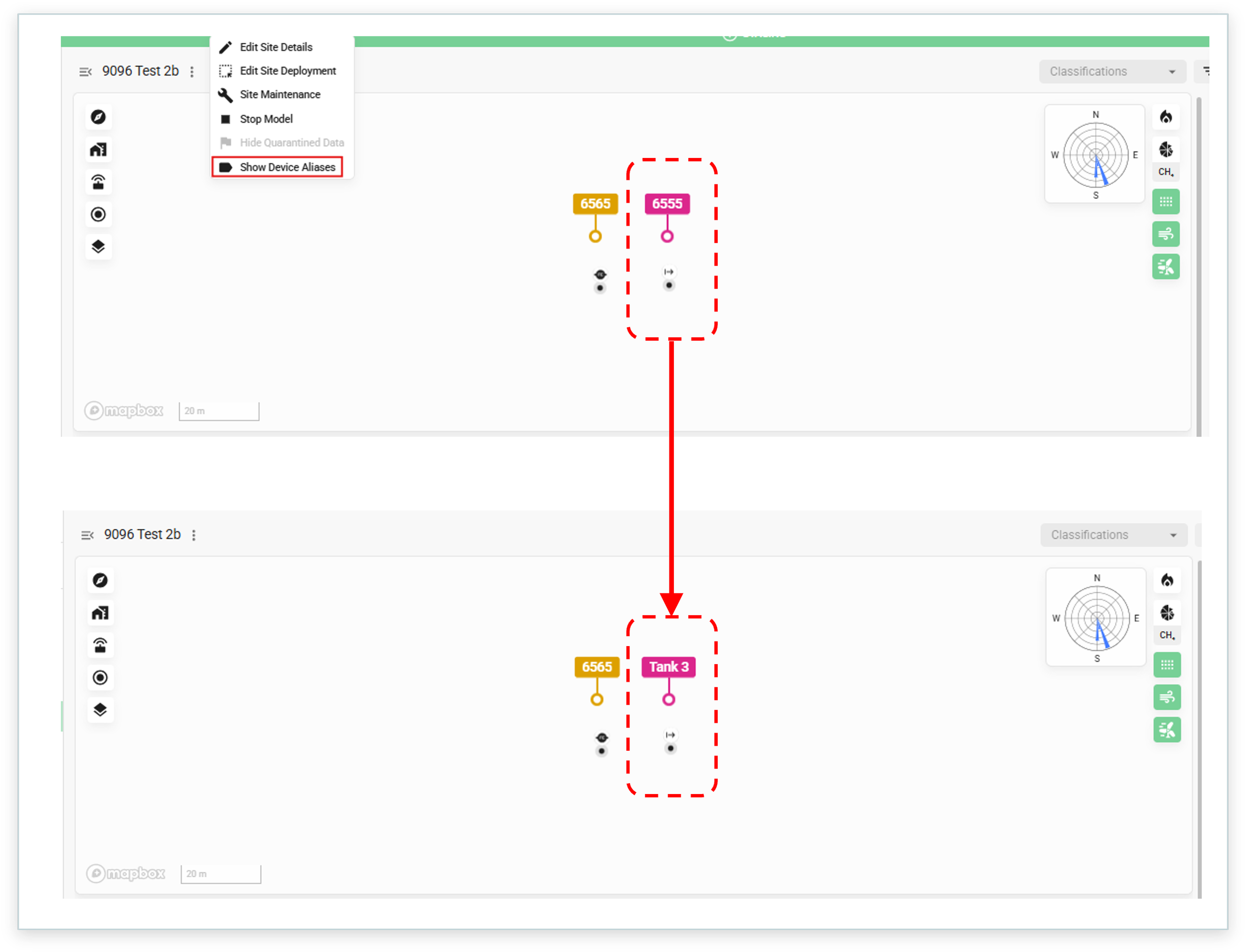
New ‘Device Alias’ allows users to customize the device names to better represent their sites.
View your Device Aliases wherever the devices are listed:
Device labels on the map
‘Toggle Devices’ menu
Device tooltips on measurement charts
Device fly out
Alarm slide out
Device search
Grids
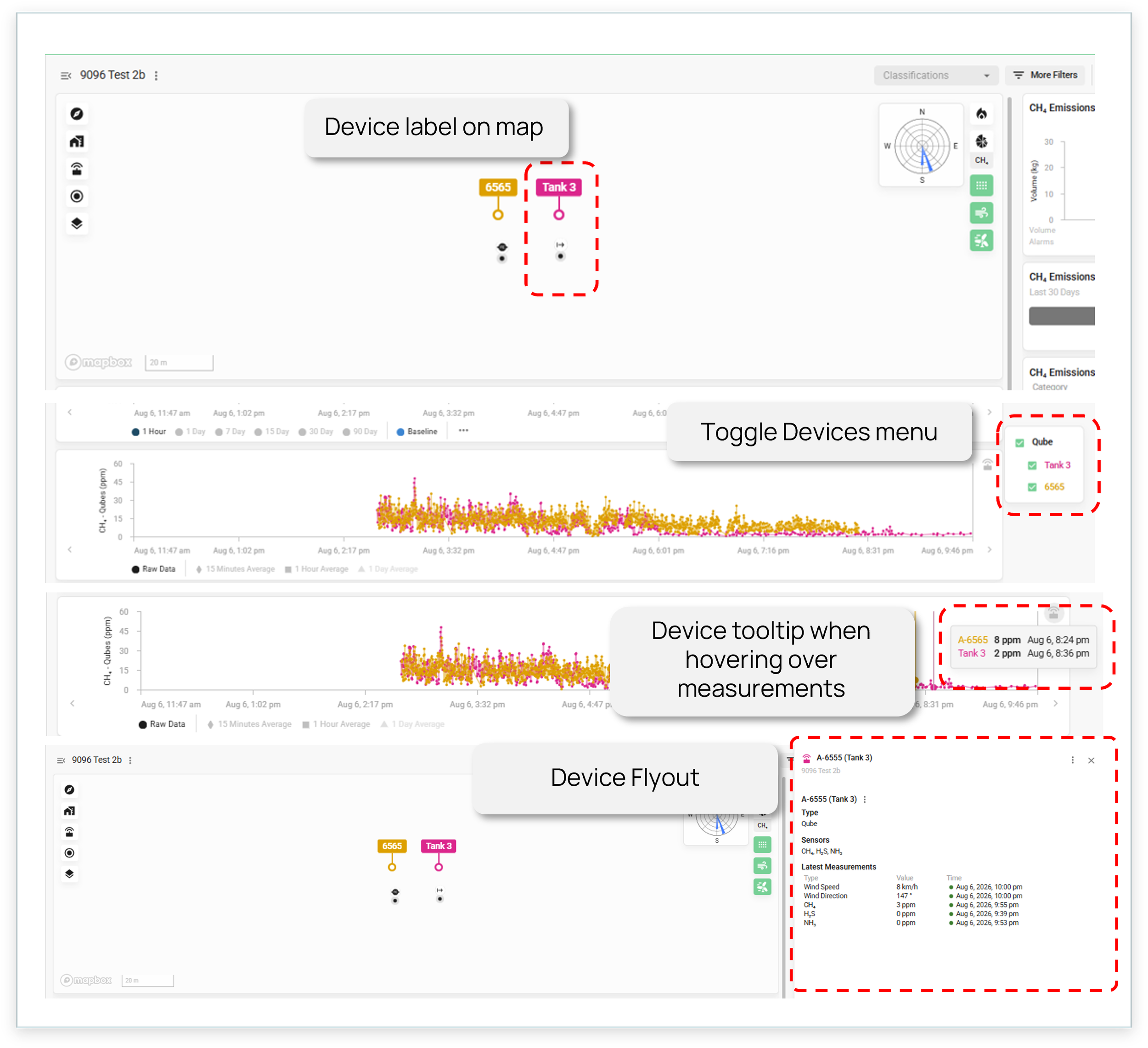
Find the ‘Device Alias’ wherever the device is labelled.
New ‘Offsite’ Source Category
Emissions drifting in from a neighboring operation shouldn’t send your team into the field. You can now allocate sources to a new ‘offsite’ source category and set alarm parameters to ignore the category.
Offsite sources will continue to be allocated emissions as appropriate, so your emissions picture stays complete. Alarms, however, won’t reflect ignored source categories’ volumes and won’t be allocated to them. You save the time and resources spent chasing another site’s emissions.
To set it up:
Allocate sources to the new source category ‘Offsite’.
Set up alarm parameters to ignore the ‘Offsite’ source category.
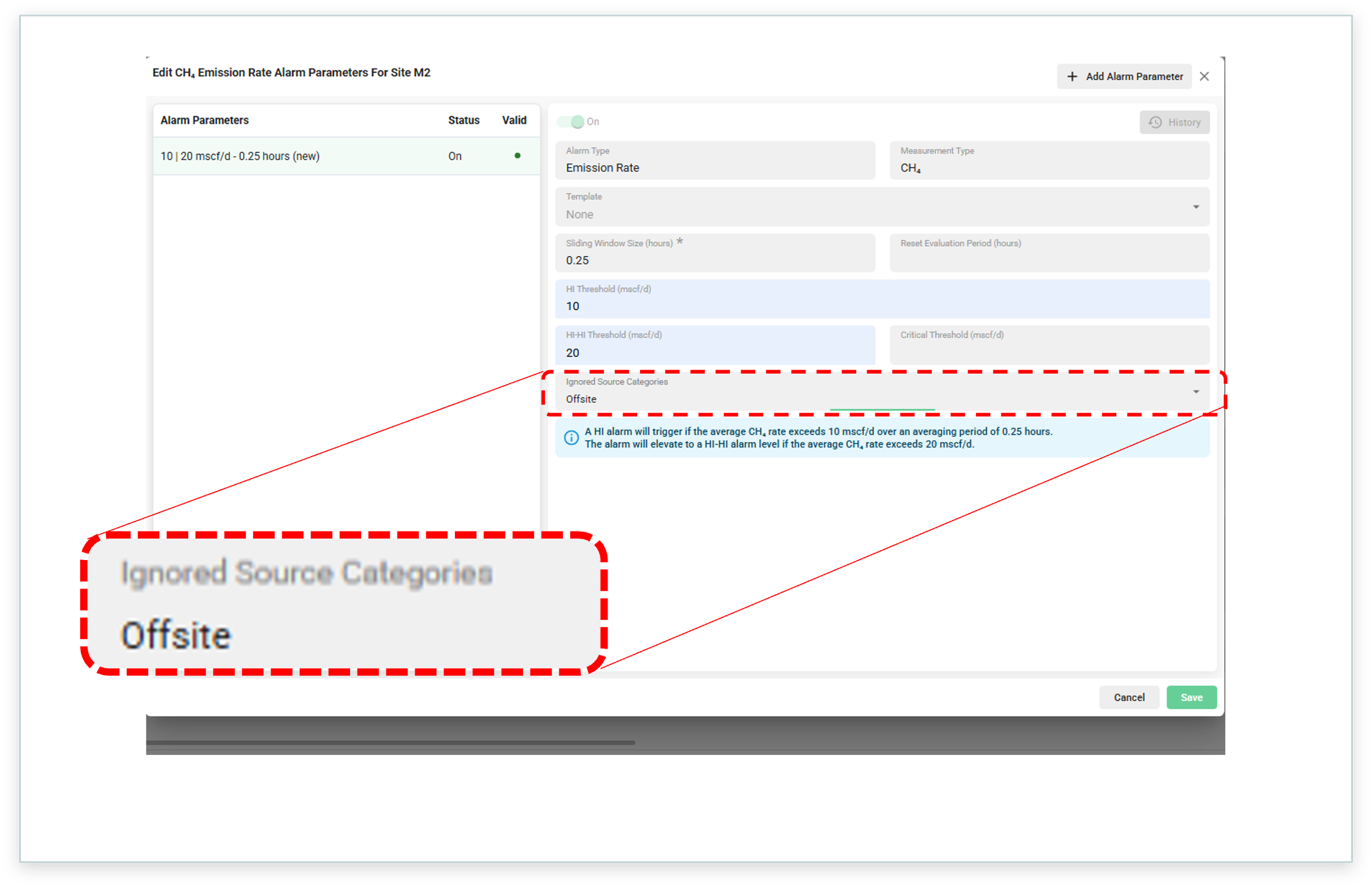
Emissions identified as ‘offsite’ can be ignored in emissions alarms.
Improved Qube Lite Measurement Charts
The Qube Lite measurement chart now opens with the y-axis set to 10,000 ppm. Small false positive blips are kept in proportion and real events stand out.
